Description
=== NEW RELEASE PRODUCT ==== Thursday, 6th August 2026 ====
EvoScan Port 4.0 (Extreme Fast OBD2 CAN Bus Interface) Datalogger (version 398) === RELEASED === $27 USD + Extra Options (New RELEASE SPECIAL for a limited time.)
Compatible with all petrol vehicles from 2008 onwards and most from 2004–2007, using the standard OBD-II CAN protocol (ISO 15765-4, 500 kbit/s). Not compatible with pre-2003 vehicles, and functionality may be limited on 2020+ GM models (e.g. Corvette, Silverado, Tahoe) that use CAN FD beyond basic diagnostics, although emissions-level reads (dtc codes, live data), those still respond on classic CAN for GM.
Designed to replace the previous out-of-production EvoScan 3.0DA Android can-bus cables for EvoScan datalogging (yes they were only for sale here for 1 season before the hardware manufacturer went out of stock), and the EvoDroid7 touch screens also went out-of-production, and to fill a gap that out-of-production OpenPort 2.0 cables have also left behind.
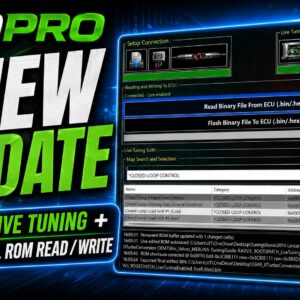
Instant downloadable firmware flasher software after purchase, under my-account downloads page.
Toyota:
P3 = K-line/KWP era (pre-CAN, roughly pre-2003)
P4 = CAN era, pre-UDS: Mode 01 PIDs, Mode 21 data lists, and KWP-style supplier services in the 0xAx range – your A1/A2 lives here
P5 = UDS era (TNGA electronics, roughly 2018+ in the US: 2018 Camry, then 2019 RAV4/Corolla etc.): service 0x22 with 16-bit DIDs, list setup via 0x2C, usually behind a central gateway
A P5 ECU would instead take 2C (resp 6C) to define a dynamic list and 22 (resp 62) to read it.
registration is per diagnostic session, so after an ignition cycle or session timeout you must re-send A1 (and P4 ECUs generally want a 3E tester-present to keep the session alive – 3E/7E is in Techstream’s P4 frame table in your own probe_output5.txt) registration is per diagnostic session, so after an ignition cycle or session timeout you must re-send A1 (and P4 ECUs generally want a 3E tester-present to keep the session alive
supports the following protocols:
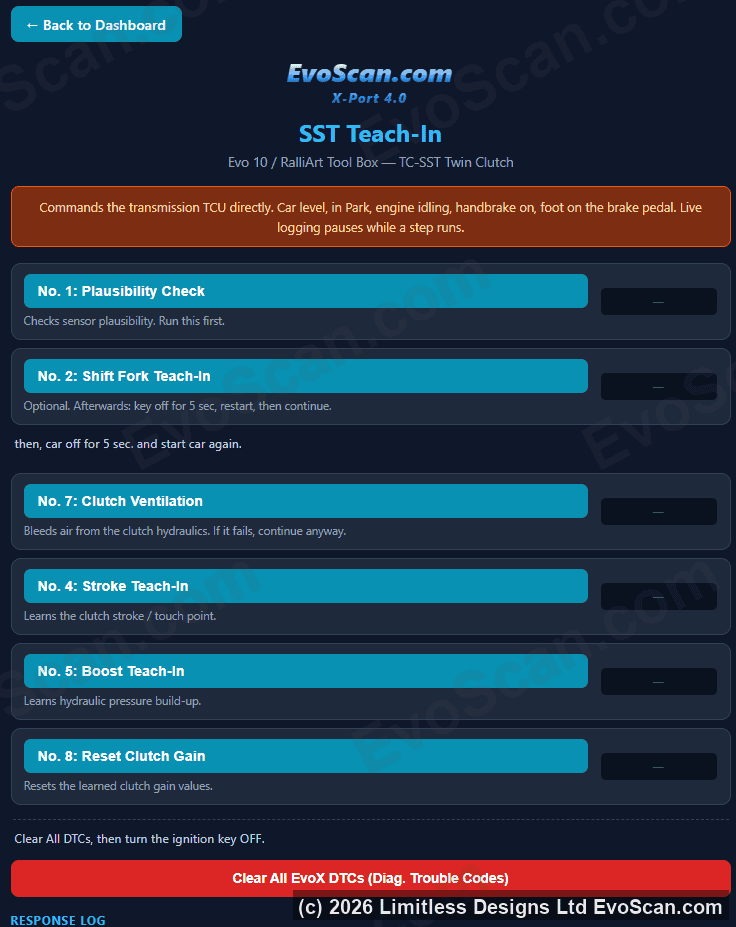
– EvoX and Ralliart (RAX, Mode23, MUT) manual transmission and tc-sst automatic dct gearbox
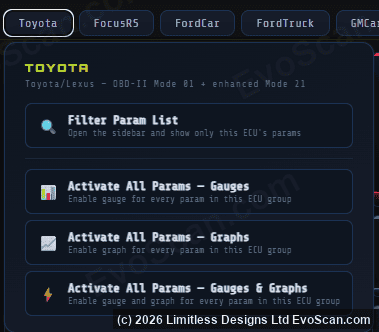
– Toyota P4 protocol
– Toyota P5 protocol
– Toyota P4 gearbox transmission, abs, traction control protocol
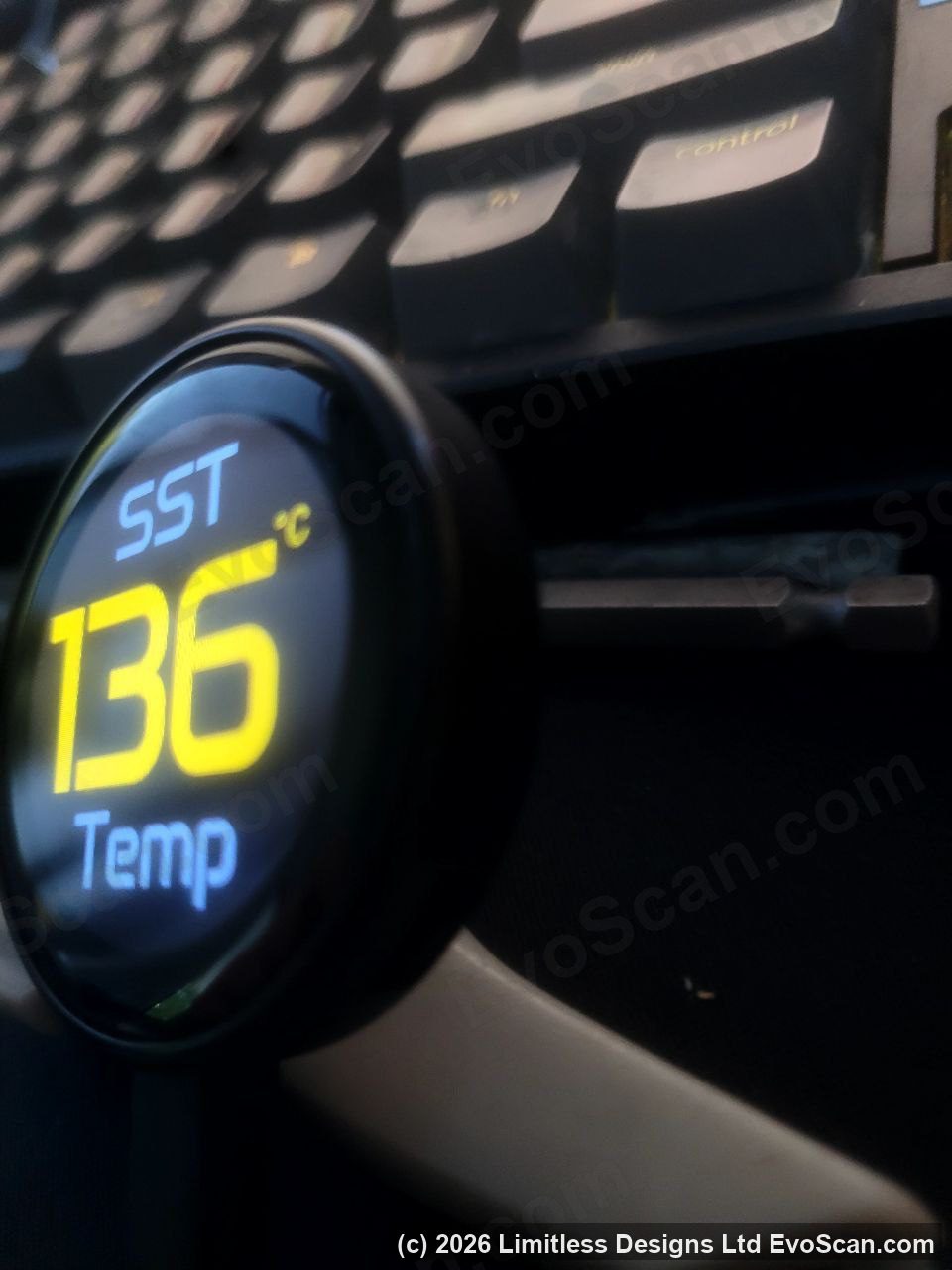
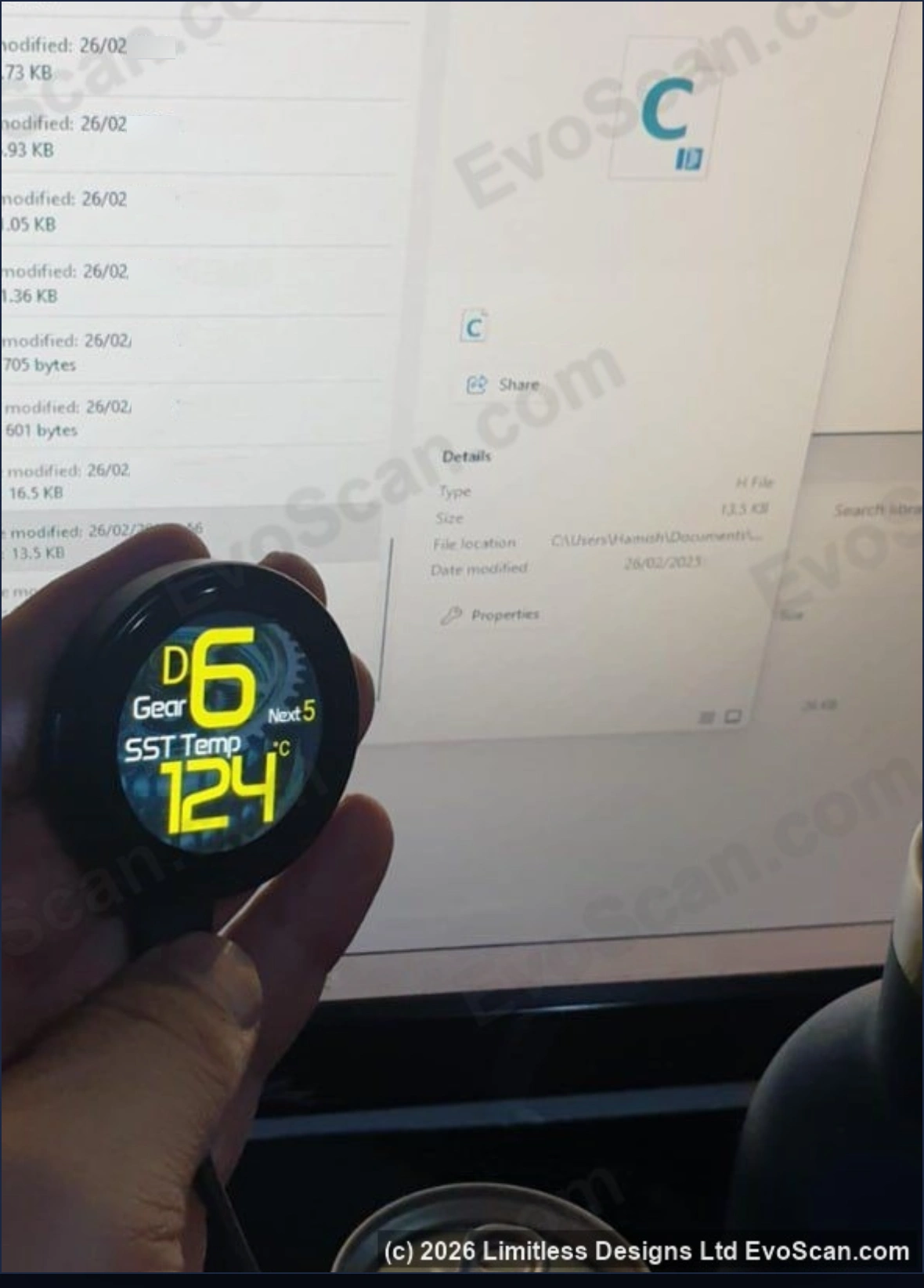
– Toyota GR (Gear indicator, gearbox DegC/DegF temperature)
– Holden protocol
– Ford Focus RS protocol (Gear indicator, gearbox DegC/DegF temperature)
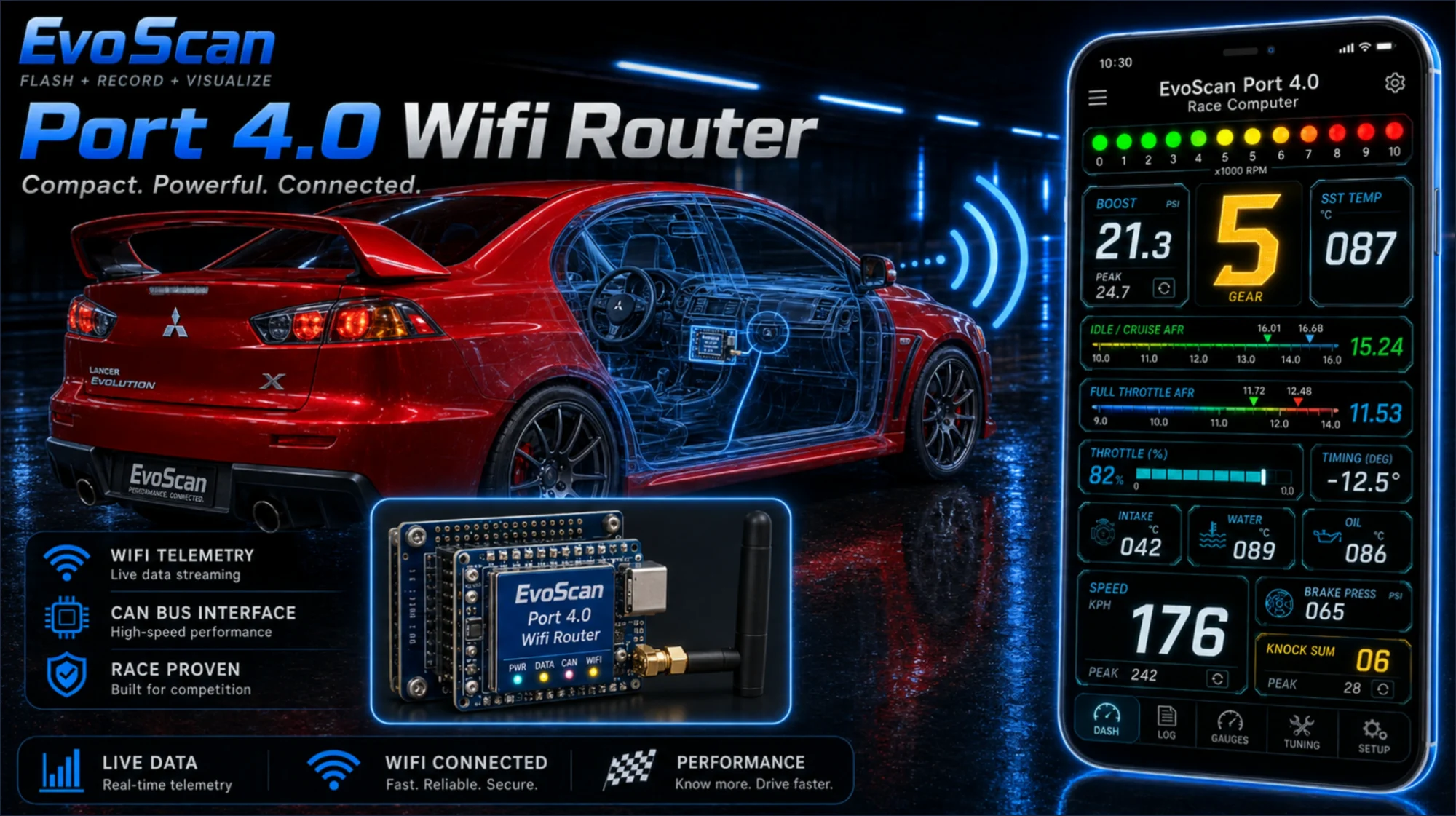
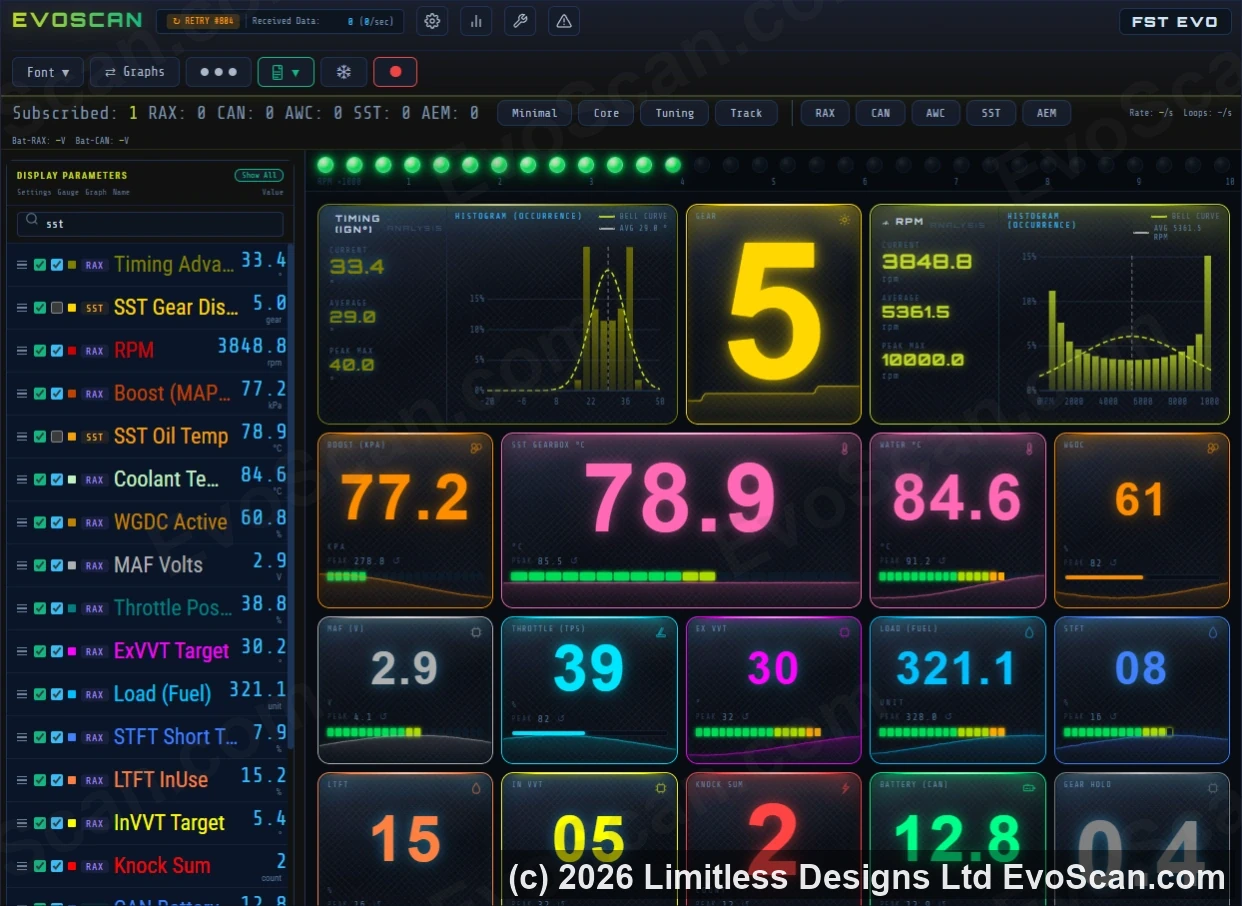
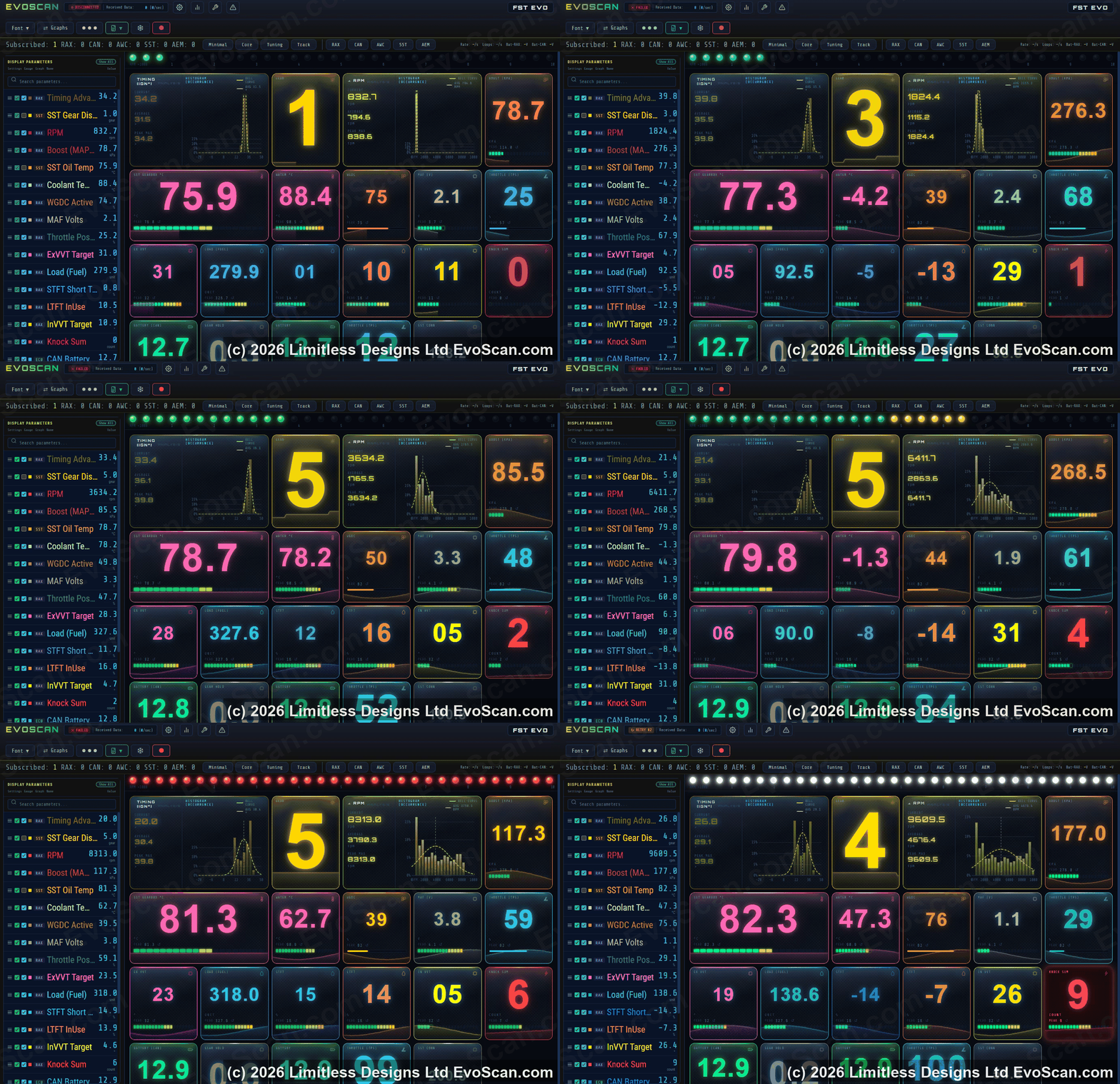
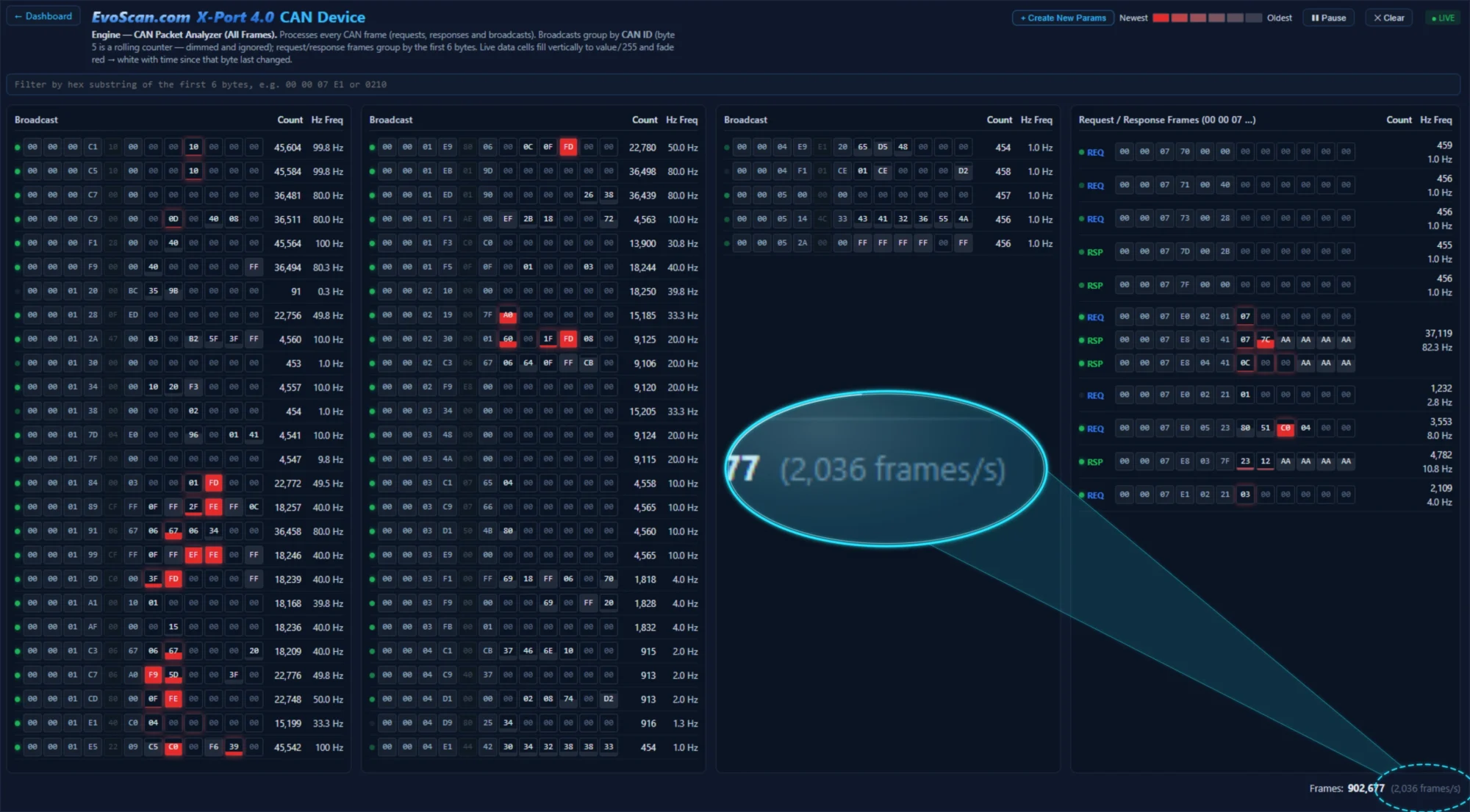
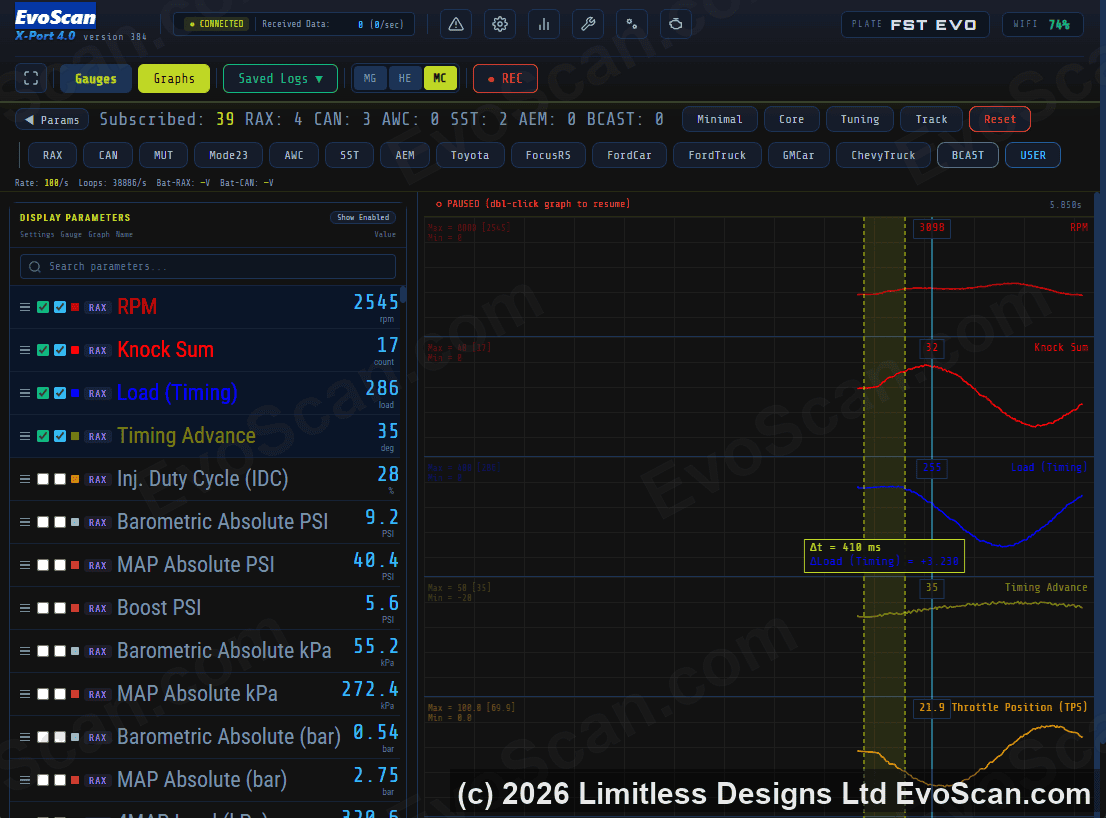
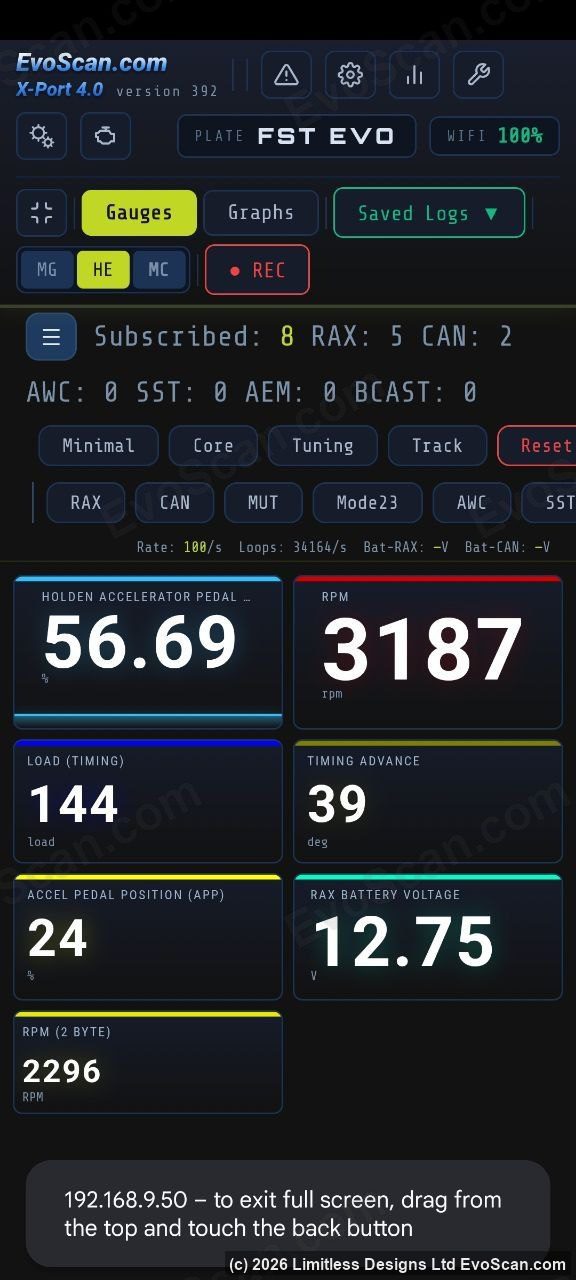
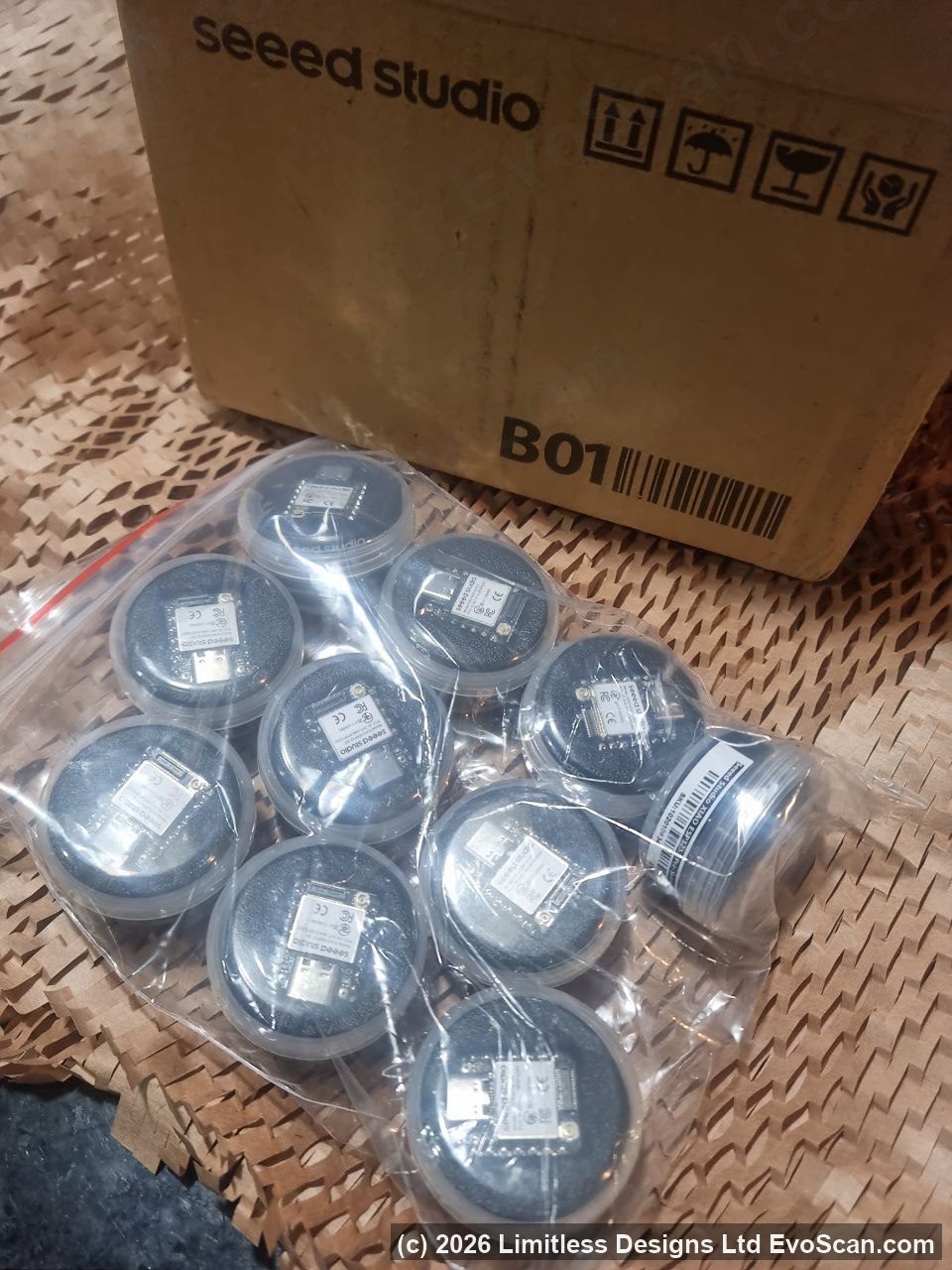
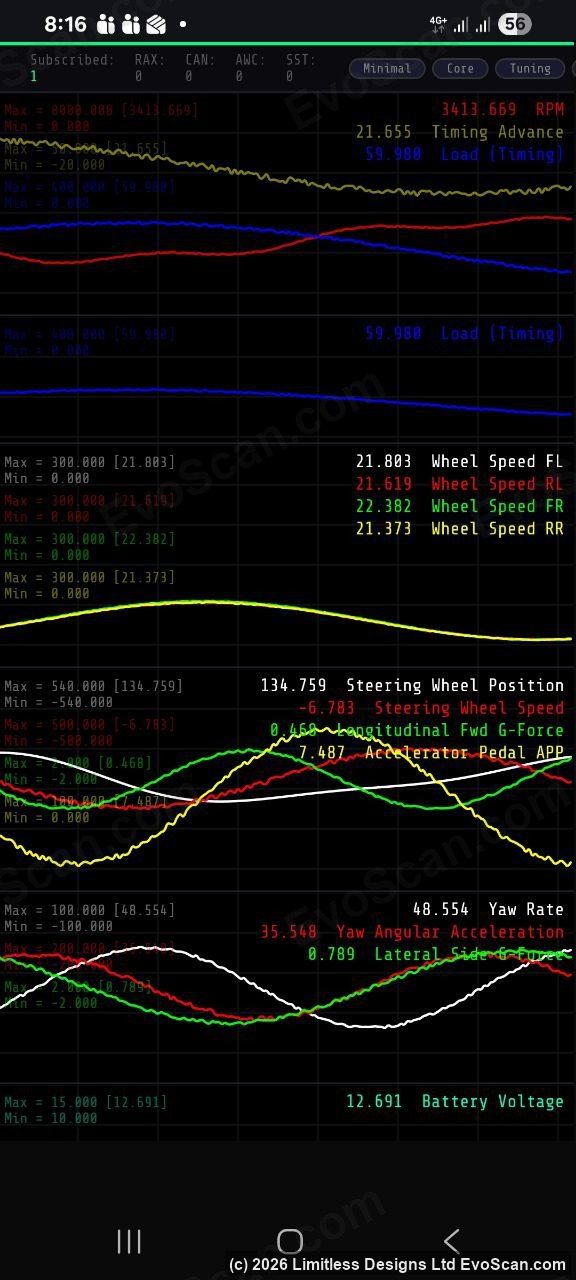
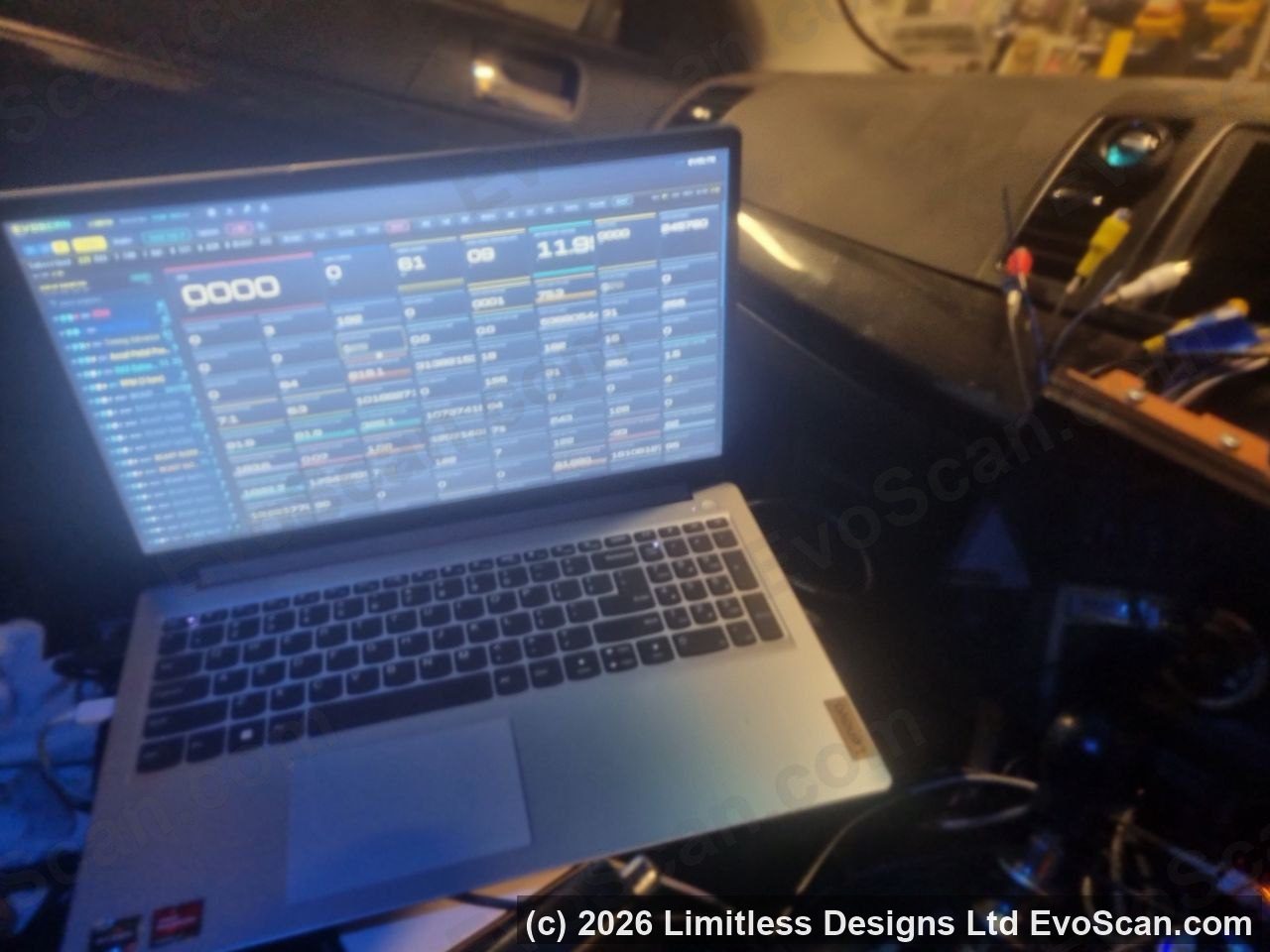
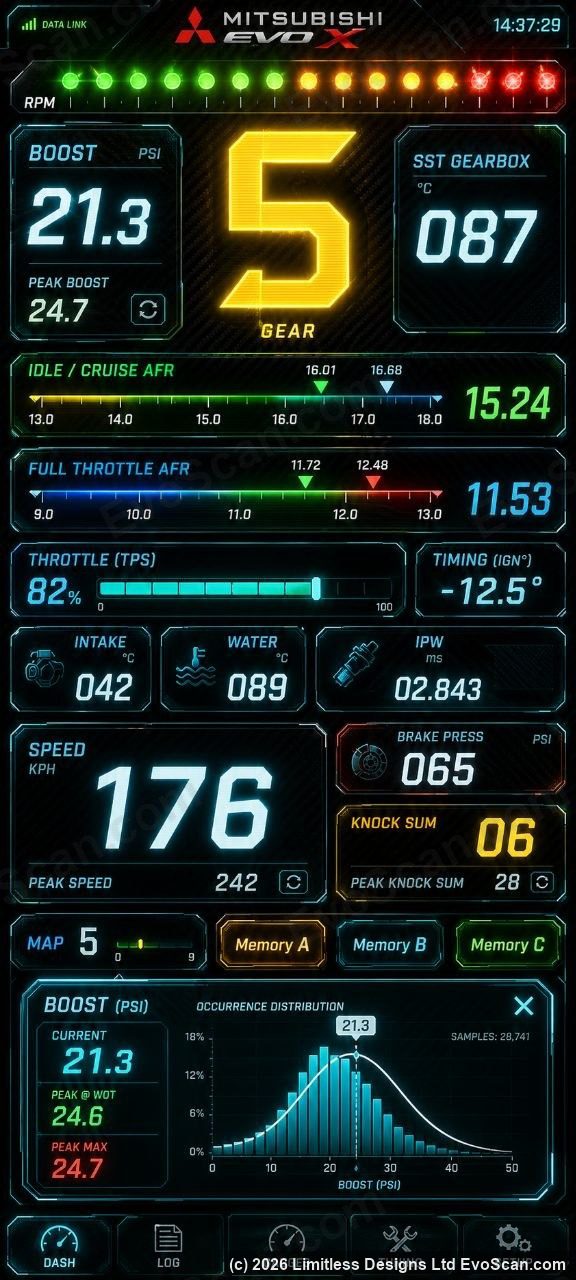
Today, we have some great news, the new product release of EvoScan Port 4.0 CAN adapter and its very inexpensive, this time its more of a WiFi Router for your car fulltime, that connects to the high speed CAN backbone of the car and thus you connect your iPhone or Android or Laptop to it, or vice versa it connects to you if it finds your hotspot using your password only. Wifi is 10X faster than bluetooth. So the way it works is that there is Firmware Flasher software that you buy and download from evoscan.com for $27USD and then use a Windows laptop/pc to do a one-time flash onto an easy to buy blank empty CAN device called SeeedStudio Xiao for $8.49 USD (sold separately from seeedstudio.com and a CAN breakout xiao $9.95), and then in car you t-tap into the two CAN wires and tap into the radio/accessory/or other 12 volt power supply. There is no VIN locking this software, but each license is encryption locked to that exact empty Seeed device, and can retrieve encrypted updates from evoscan.com. The CAN system was more complex than I ever imagined at a microcontroller level. The focus was on speed (as usual, lol), every new line of code that I wrote, was thrown away if it slowed down the device in any way what-so-ever. I have a feeling that the laptop version of EvoScan was throwing away a lot of useful data and frames that it didn’t have time to process or was filtering too much out, as it turns out the CAN network backbone of Mitsubishi is very busy and very fast. over 2000 message frames per second. the Engine ECU is capable of 40000 per second, so 2000 is nothing, the Evo ECU us practically sitting there doing nothing for over half its life, it has that much time to spare. Anyways, thats good news for us, we can capture all that data with this new EvoScan Port 4.0 WiFi Router Race Computer that you connect your phone or screen or laptop to the WiFi Router, which as mentioned before, is connected fulltime to the backend CAN network at high-speed, and effectively does turn it into a full-time race computer, displays engine details, packet manages, records, logs, connects to other devices and views draggable graphs.
This time we selected an in-car device that should be around for a lot longer. Something we can build on for many versions to come.
EvoScan Port 4.0 Firmware Flasher is an instant download via your account page, and license/s are transferable via the my-account page for resellers.
Thank you everyone that has supported EvoScan over the many years, we have been building this CAN based software for the past several years, can-bus hardware at this level is one of the hardest and most complex tasks to do, we took the challenge right down to the micro-seconds, and it Runs at up to 40000 CAN frame checks per Second… this took close to 100 attempts of real human (non-AI) programming to get it running that fast.
EvoScan Port 4.0 is a little different than you are thinking in terms of an EvoX cable. its really a full race WiFi Router.
How does it work…
Step 1) Buy this ‘EvoScan Port 4.0’ software.
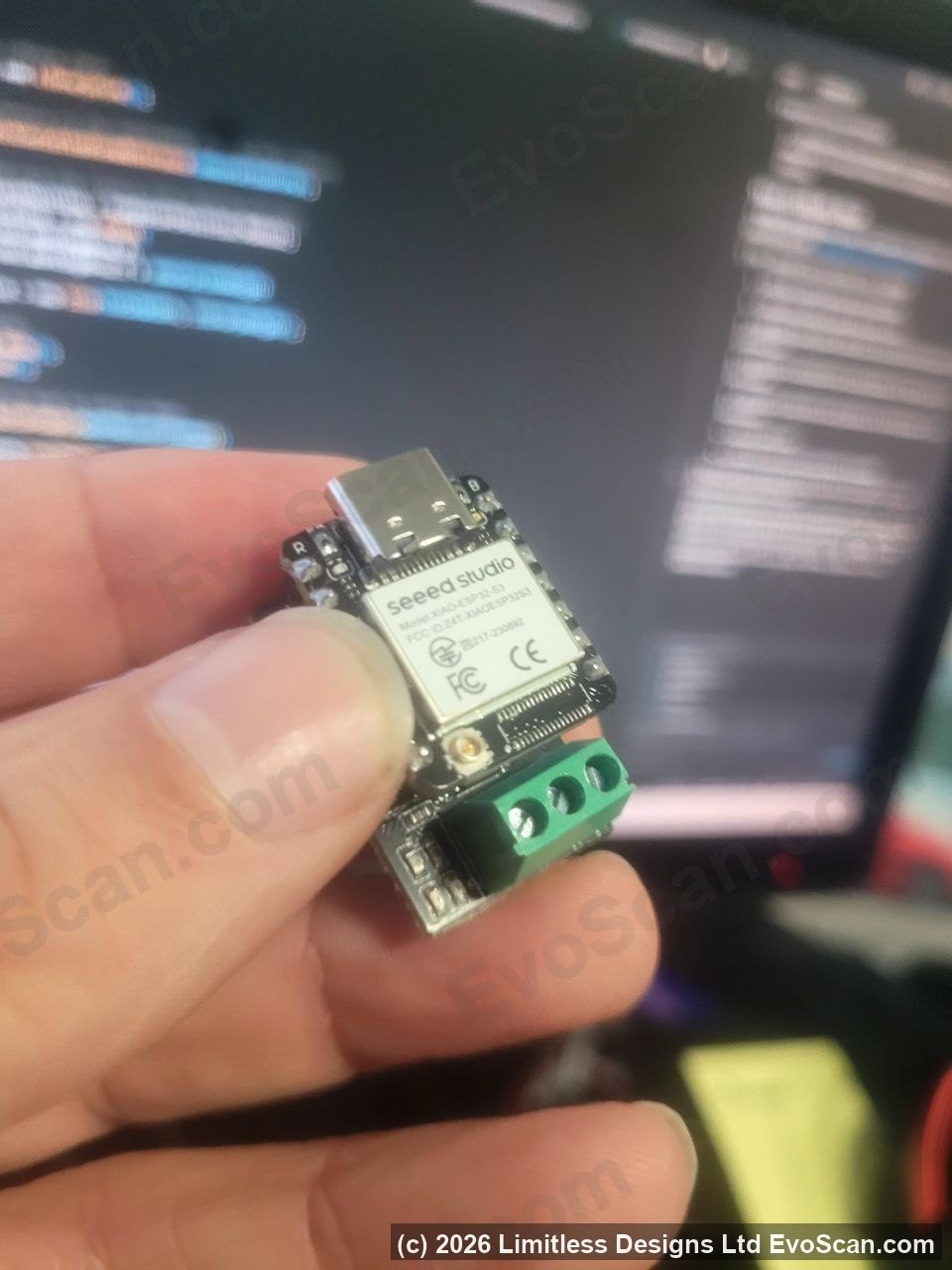
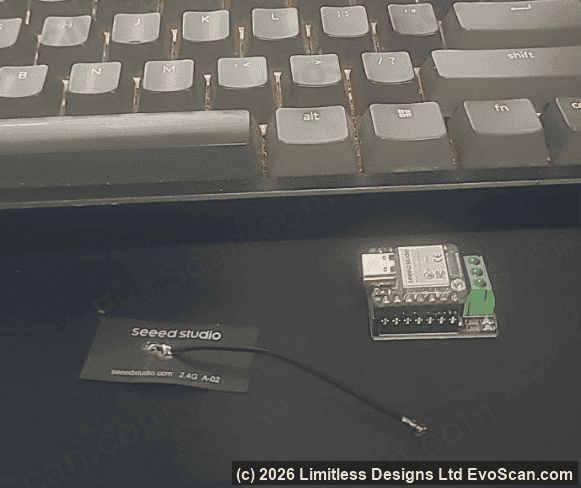
Step 2) Buy the xiao chip and hat expansion (sold elsewhere at seeedstudio) – I chose the cheapest, most secure, fastest, and highest longevity in-stock chip I could find. ships from 3 locations: usa, europe, asia. I was getting tired of everything going out of production – like my previous EvoScan5 and EvoDroid7 product and many other products I have had over the years.
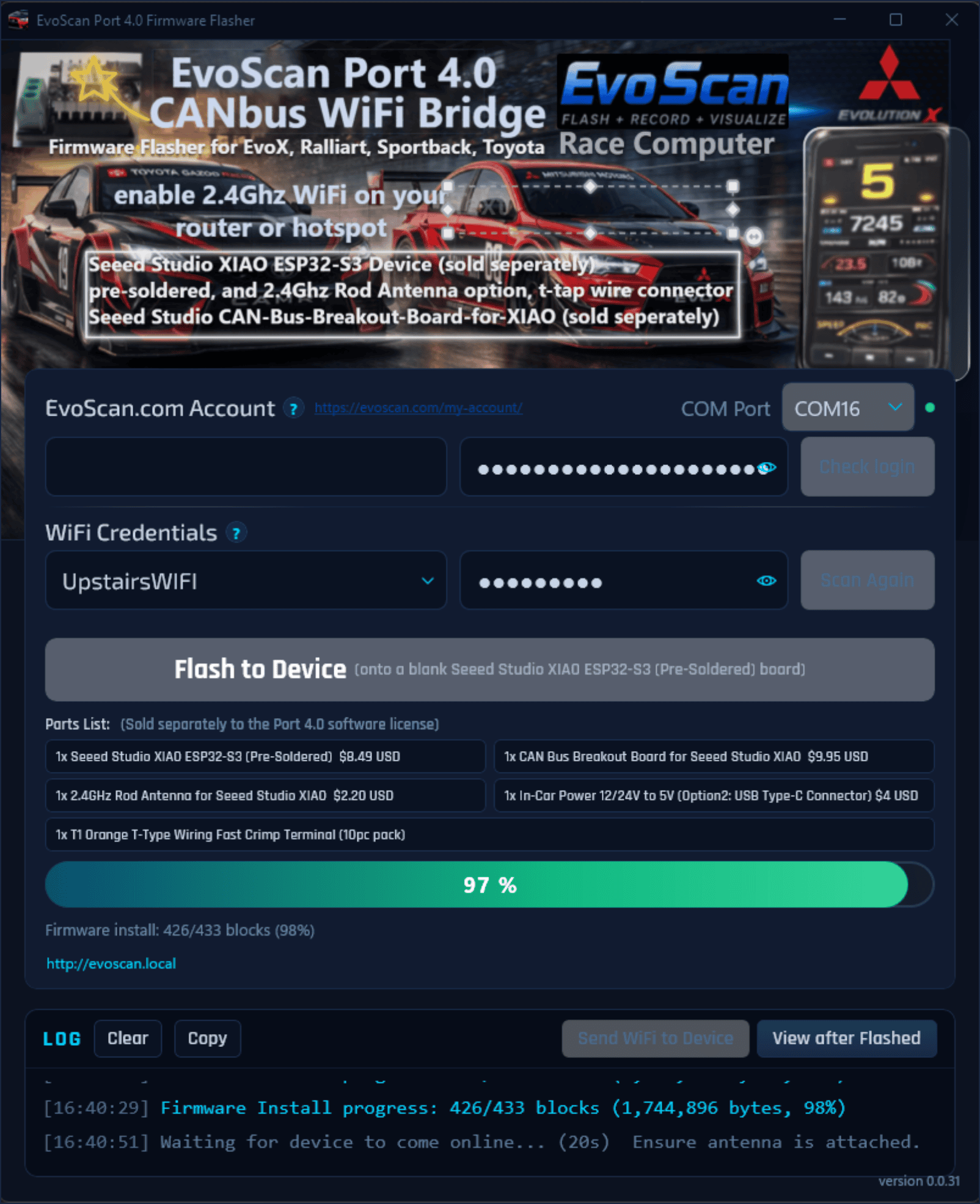
Step 3) Plug a usb cable from your pc or laptop in the house (car not needed for this step) and click “Flash” from software at step 1. this burns the software into the chip.
Step 4) Take your newly flashed “EvoScan Port 4.0” there are 3 screws. tap into black, red, white. (this is the high speed internal CAN-bus A circuit) instructions included.
Step 5) Power it up with usb, or use 12V to 5V vehicle adapter.
Step 6) Enable hot spot on your phone and your race computer is now connected to you at super high speed. The reason I prefer it this way so that we can continue using Internet at the track or whilst driving for with google maps and receiving messages from friends at the same time.
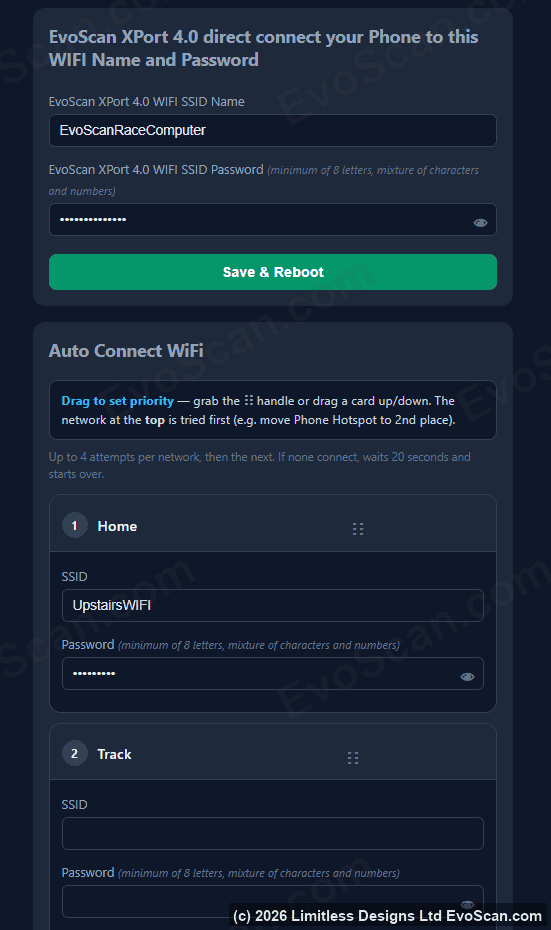
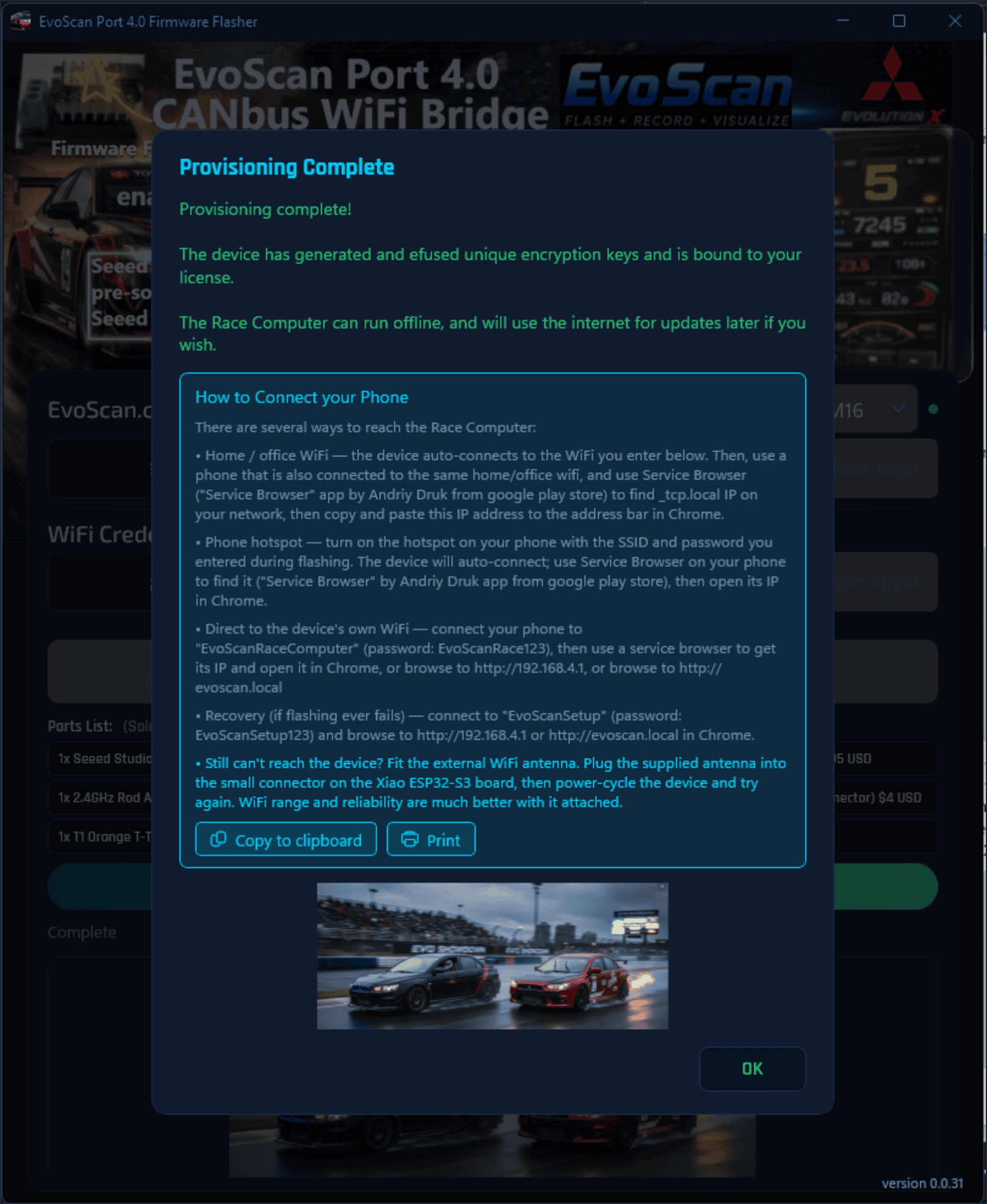
Step 7) there are other backup connectivity styles, like auto connect to your home wifi, you can connect via Home PC, you can connect via your phone direct to the EvoScan Port 4.0 wifi as well.
Step 9) you can disconnect and it will continue data logging
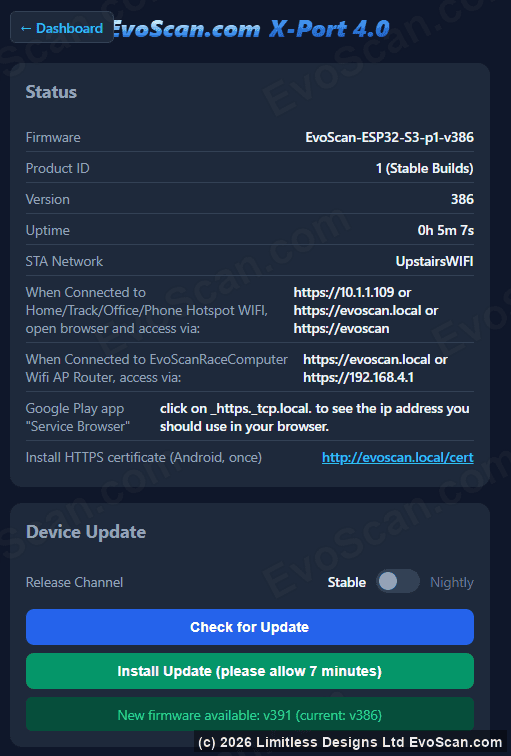
Step 10) you get free updates (optional)… for example we have updates coming for SST S-Sport at startup. auto DTC alarms and displays, and many cool ideas every day.
Does it have wideband support yet.. Yes if you use AEM CAN x-series, although for rs232 serial not yet, but we have a plan for that via a serial to EvoScan Port 4.0 board option which is in beta at the moment.
Does it have external inputs/outputs like the big fancy ecus, not yet, but it does have expansion capabilities where it has a relay/switch/input expansion board in beta at the moment.
Its not locked to VIN, its locked to 1 license per Seeed Studio Xiao device, plug in the hardware to the usb port on your PC and click “Flash Firmware” button this locks and loads the $27 encrypted software onto the hardware. Then you take the can device (hereafter called EvoScan Port 4.0) and you tap the two wires screwed into your canbus wiring behind your steering wheel top cover, or anywhere on the CAN-bus super highway in the car – not the every day slow diagnostic port. (if you forget your device password or it glitches out – throw it away and buy another and let me know I should be able release your license available to flash onto another device that you buy, they are cheap enough.)
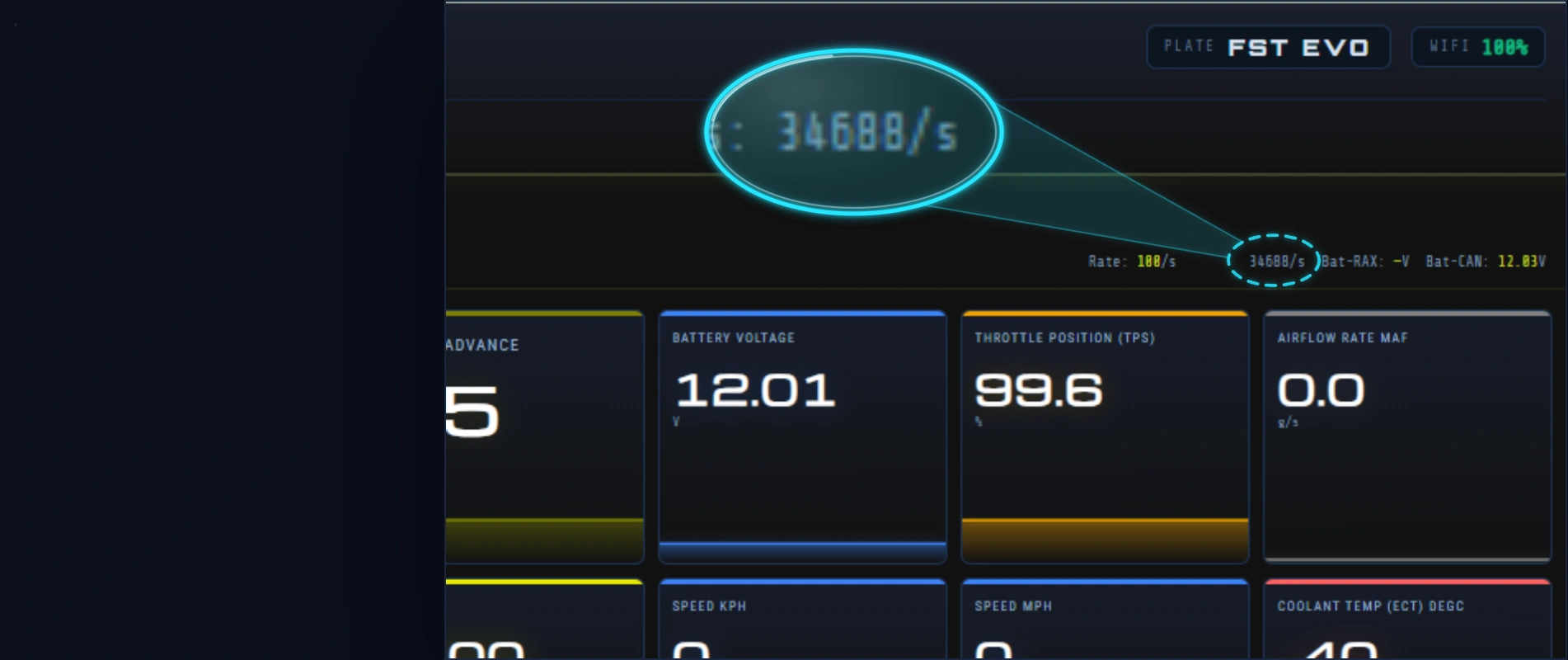
This new firmware is insanely fast, processing speeds that makes my eyes water and I have been doing EvoScan for many years, the speeds are so much better than a laptop. you will see this live metric in your stats page. also the internal primary CAN-C wires are extremely fast, this new software can read TephraXmod CAN packets off the EvoX at around 2000+ full packets per second, and if there is more data in the packet like RAX can have 3 per packet, then that 3X even faster. The csv logs also look a bit strange, because it has the ability to pinpoint the microsecond that the data arrived, tracking more data at insane accuracy, and recording more data to csv.
NO MONTHLY FEES, PAY ONCE – YOURS FOREVER. one $27 USD license per Seeed Studio Xiao (sold separately)
Here is also another reason why EvoScan Port 4.0 may be so much better and faster than all other CAN-bus cables for Mitsubishi, Holden, Toyota…
EvoScan Port 4.0: ALL commands -> PC -> EvoScan Port 4.0 <-> Vehicle (ZERO LOSS)
EvoScan Port 4.0 <-> Vehicle (ZERO LOSS)
EvoScan Port 4.0 <-> Vehicle (ZERO LOSS)
EvoScan Port 4.0 <-> Vehicle (ZERO LOSS) -> PC (ZERO LOSS)
It appears to me that the EvoScan Port 4.0 is 2X faster than the previous EvoScan 3.0DA CAN cables.
Others CAN-bus cables: Single command -> PC -> Can unit -> Vehicle -> can unit -> PC
Vehicle -> can frame lost whilst doing other tasks
-> Single command -> PC -> Can unit -> Vehicle -> can unit -> PC
Vehicle -> can frame lost whilst doing other tasks
-> Single command -> PC -> Can unit -> Vehicle -> can unit -> PC
as you can see, its more efficient if your tight loops and data architecture is soo much better at handling canbus frames, they see every one and all broadcasts every few microseconds and send/receive at high speed from the microcontroller level, than it is for all other can bus cables on the market to do a round trip all the way to the Android Torque app, FordScan, or GDIPlus+ or Techstream, and back again, wasting critical time that could be used for collecting more data.
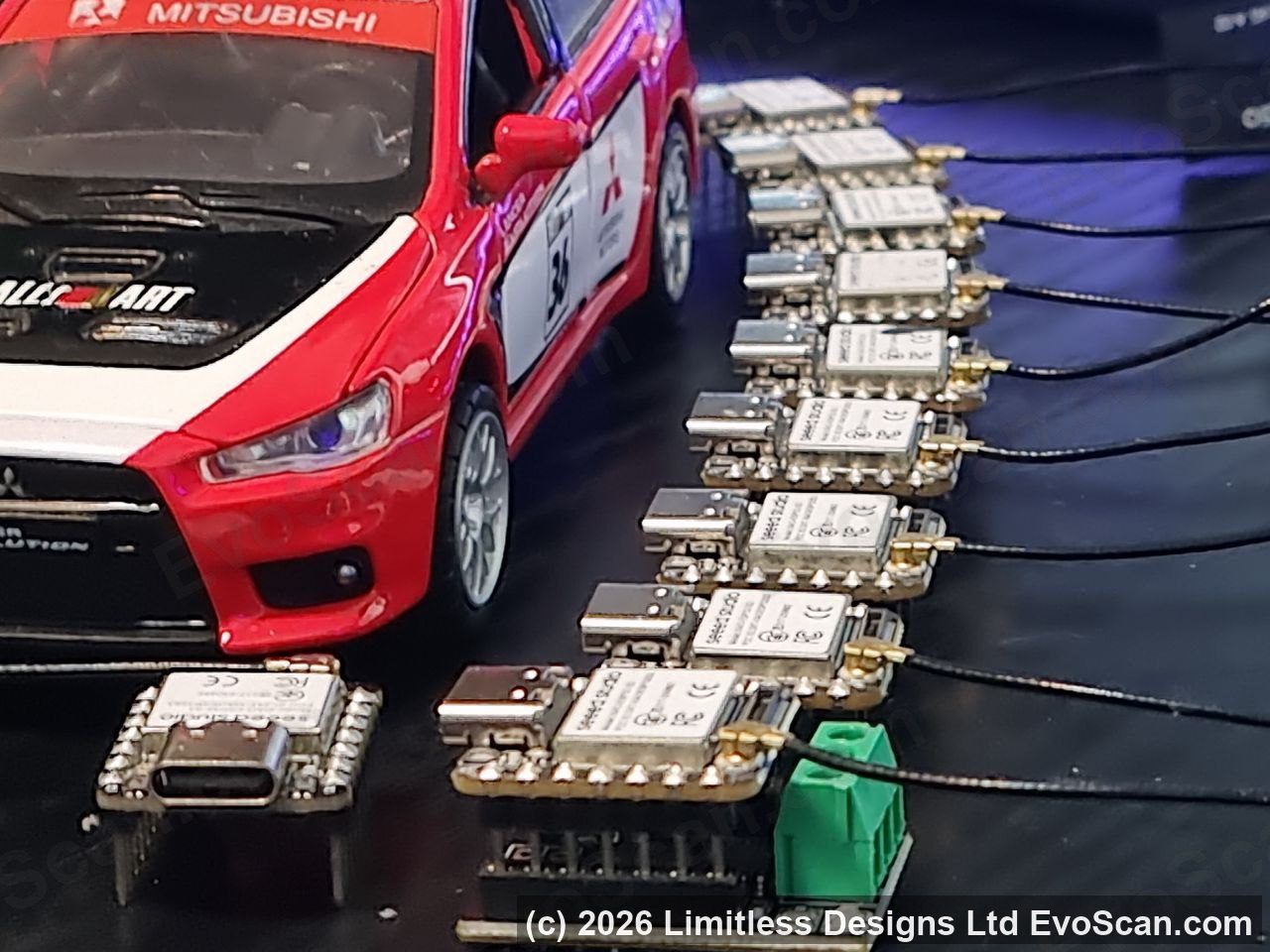
We also selected Seeed Studio as the hardware supplier because it is FCC and CE certified (lots of CAN-bus wifi cables are not certified, or are clones and I guy told me his clone overheated and bricked his subaru ecu on its 4th reflash in row – so make sure you give 5 minutes in-between if using clones), and our new architecture is modular, you just press two parts together by hand (no soldering); the powerful wifi computer chip and the canbus expansion hat, its only a few dollars for each part and ships from USA or Europe for easy and low cost shipping. I was tired of my previous EvoDroid Screen suppliers going out of business, I have had lots of in-car products over the years – some of you may still have one those batches of 500 units I used to do, as many of you will know – they go out of stock way too quick and I can’t get them again, I set this one up so it can last many years (fingers crossed), and we can finally build on it with updates.
EvoScan Port 4.0 is WiFi Software that auto-looks for your phone hotspot or your home or racetrack wifi, and connects to you (so that you can continue using your data when driving). although you can connect directly to the in-car wifi to download Logs and Read DTC if you want. it basically creates a Wifi Router in your car. with your own password of course.
Buy a windscreen phone holder, Connect your phone to the EvoScan Port 4.0 InCar EvoScan Race Computer WIFI, connect to your car and use internet at the same time.
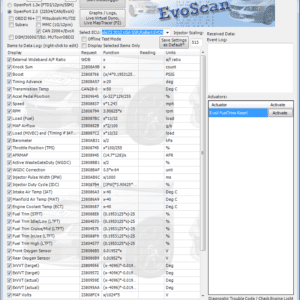
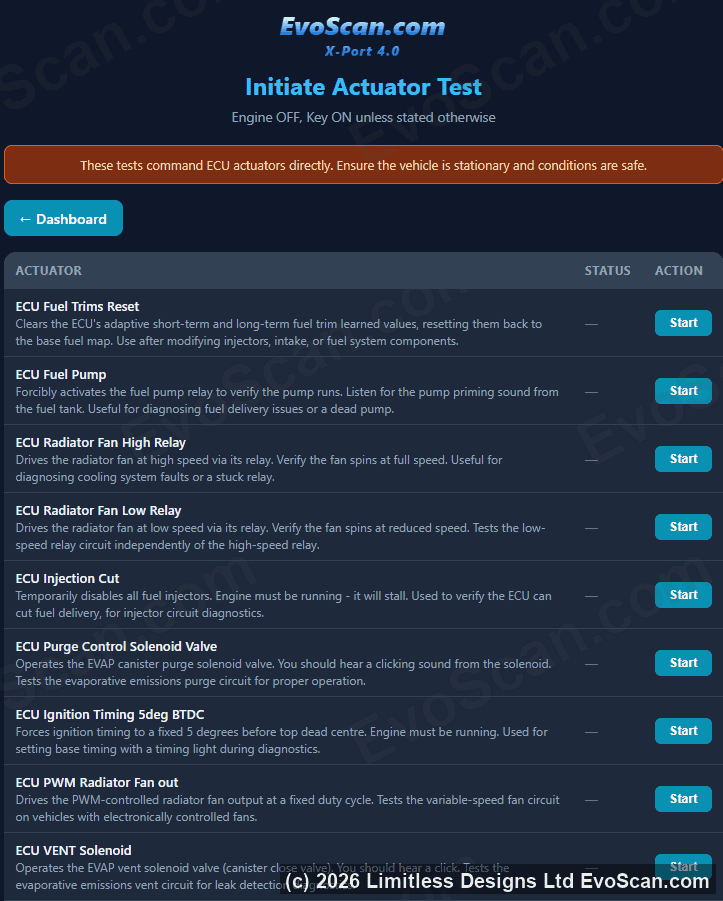
Same functionality as EvoScan Windows software – datalog EvoX, Ralliart, OBDII, RAX, Engine, SST, Tephra, AWC, ACD, AYC, Toyota.
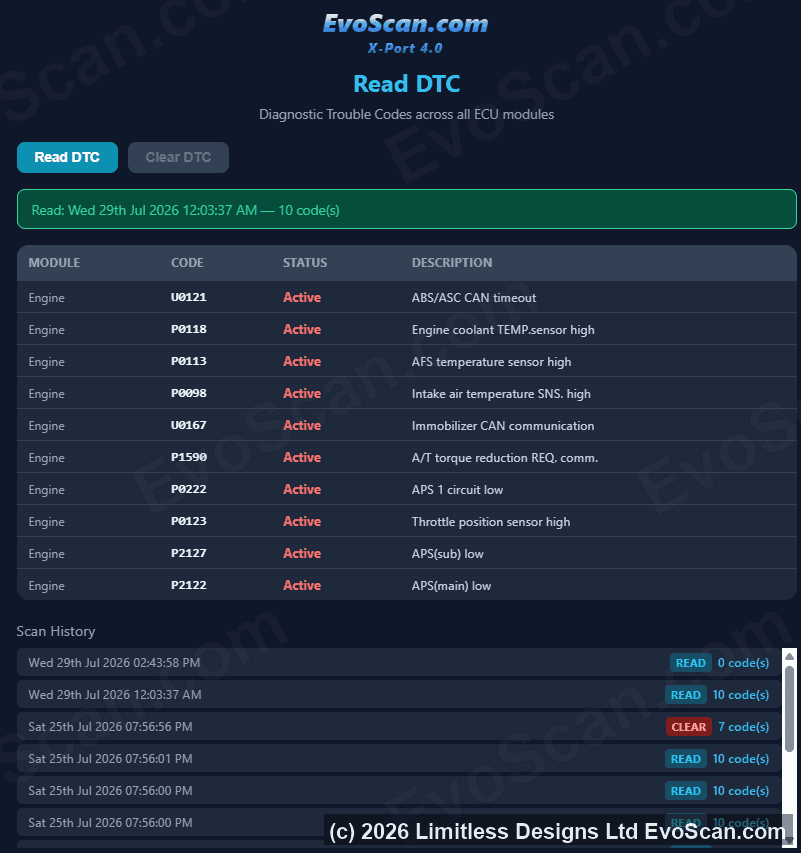
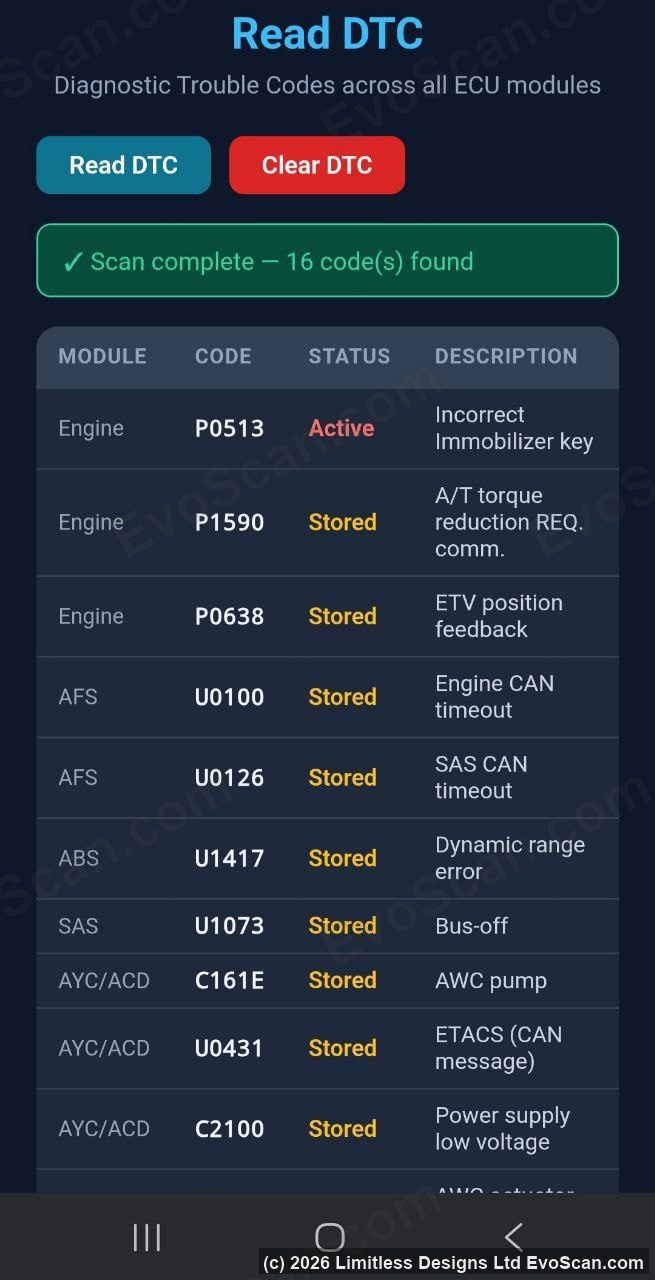
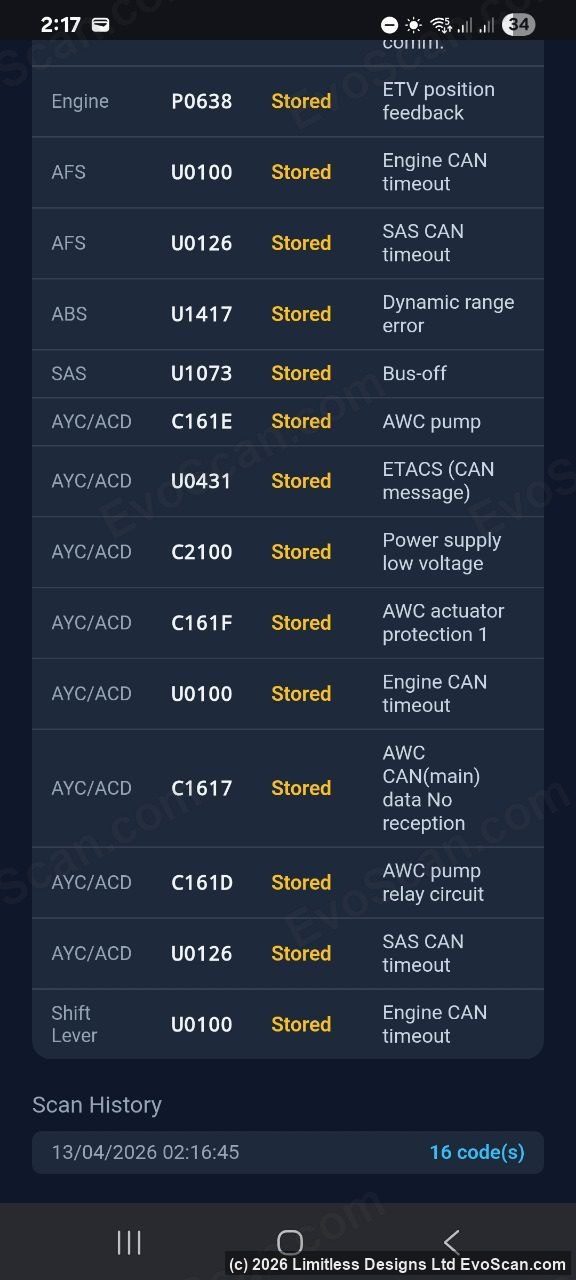
View/Clear Diagnostic Trouble Code (DTC) check engine lights (CEL) auto records any found codes for later to show your mechanic.
I have some cool ideas coming up for the next version (free version updates as extra option)… some examples are:
Auto start your car in Super Sport SST mode. S-Sport on car startup. Auto set SST Normal Drive mode under 30kmh (good for smooth Traffic Light stops) then Auto set S-Sport mode above 1km (good for acceleration)
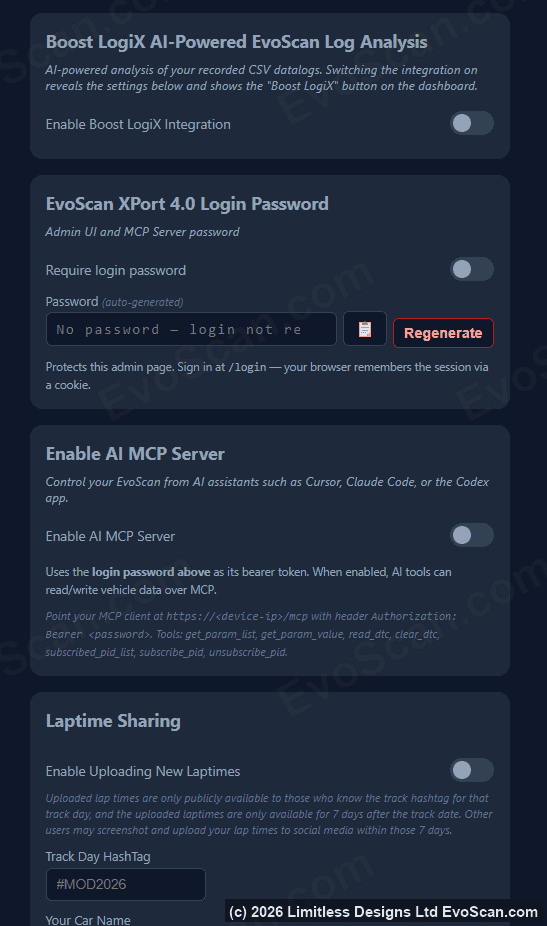
Advanced Mathematics. Built in Laptimer LAP Deltas -4.504 seconds records times of all sectors and lap times. Will work on any racetrack in the world, even without an external GPS.
Advanced Mathematics. Built-in Rally Distance KM meter. (uses 3 decimal place wheel speed sensors average kmh across all 4 wheels and gps)
Share your data-log PASSCODE with your tuner. only those who have the passcode can access your online data logs. (feature coming soon)
some existing features are:
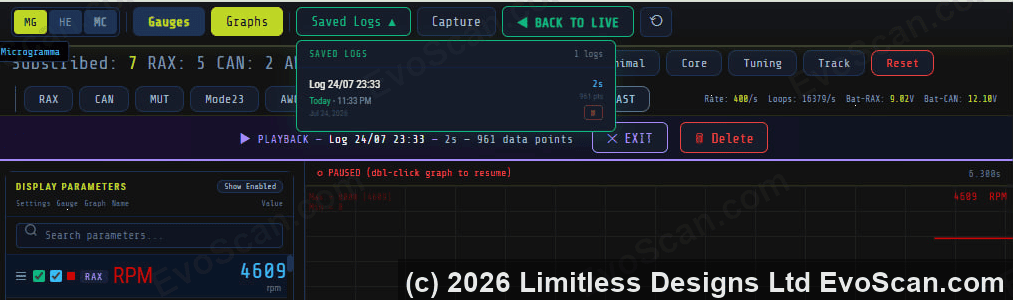
Advanced View of your datalog similar to other HD Log Viewers without needing to buy other software to view the logs.
Build your own EvoScan Race Computer with affordable hardware and professional-grade firmware.
EvoScan Race Computer software is made for the Seeed Studio XIAO ESP32-S3 (pin version), sold separately and commonly available for around $7 USD. To complete the setup, you will also need the XIAO CAN Bus expansion board, a USB-C cable, and a simple wiring solution such as twisted-pair wire from an old Ethernet cable plus a T-tap splice for installation into the vehicle CAN bus.
Getting started is easy. After purchase, simply download the EvoScan Race Computer program t on your Windows 10 or Windows 11 PC/Laptop, via any usb – plug in your blank ESP32-S3 XIAO SeeedStudio (yes make sure its the S3 not another – this one plugs straight in the CAN HAT expansion.), and press Flash Device. The flasher handles the setup process automatically, preparing the device for secure encrypted firmware updates and dedicated long-term use as your EvoScan Race Computer.
The system can store up to three Wi-Fi networks for future software updates, so it can connect through your mobile hotspot, home Wi-Fi, garage Wi-Fi, or other trusted networks wherever you use the vehicle. Normal operation does not require internet, so the unit continues to function fully offline once installed.
Installation is simple:
1. Run the EvoScan Race Computer Firmware Flasher on your PC or laptop.
2. Connect a blank Seeed Studio XIAO ESP32-S3 using USB-C.
3. Press Flash Device to program and prepare the unit.
4. Follow the included instruction PDF to wire it permanently into the vehicle’s high-speed internal CAN bus behind the steering wheel.
Required: Hardware Sold separately $18.44USD.. links to purchase are also on the Windows Flasher app if thats easier for you.
Parts List: (Sold separately to the EvoScan Port 4.0 software license)
1x Seeed Studio XIAO ESP32-S3 (Pre-Soldered) $8.49 USD
1x CAN Bus Breakout Board for Seeed Studio XIAO $9.95 USD
1x In-Car Power 12/24V to 5V (Option2: USB Type-C Connector) $4 USD”
1x T1 Orange T-Type Wiring Fast Crimp Terminal (10pc pack)
By connecting directly to the internal CAN bus rather than relying on the external OBD2 port, EvoScan Race Computer gains access to faster and more complete live vehicle data, making it a powerful solution for real-time dashboards, telemetry, and data logging.
Supports: 2008 – 2016 Mitsubishi Lancer Evo10/Ralliart/Sportback
Supports: 2008 – 2017 Toyota Corolla/Camry/Highlander
Resellers/Tuner can buy multiple licences, we have a license transfer system available for you to issue out single licenses under your Account section to any other evoscan.com registered email address, that way they can be setup by performance tuning garages, that might have a handful of blank devices ready to go and just register them as needed, and the device stays registered under the customers email account for updates.
Top Feature: Wifi Router “EvoScan Race Computer” firmware program, 1 license per esp32-s3, the esp32-s3 is not tied to VIN number, its only tied to your esp32-s3 device, so you can move it to other cars if you like. If you want a 2nd esp32-s3 you will need another $27 license though, its tied to the esp32-s3 internal efused private key encryption.
We will send you a link for where to purchase the best ESP32-S3 (for $8.49(Esp32-S3)+$9.95(CanBoard), yes you need the can board too)
Run the program, instantly flash your esp device, test it runs from your phone, take a panel off the steering wheel, wire it in, start the car up. watch it on your phone!!!
Creates a WIFI Router in your car, that bridges to your internal CANbus of your car. Runs as a wifi server, then you just grab any old phone with a phone holder, and connect it your Race Router. There is also an option to set it up so you can connect it back the other way to a hotspot on your phone, or house wifi, if you like, works that way too so you can keep your phone connected to the internet.
EvoScan Port 4.0 Race Computer runs on a 240MHz processor and contains 8MB of onboard memory, take advantage of the thousands of already-broadcast frames per second, giving fast access to a huge amount of live data without needing to request it individually, giving faster live updates and better for real-time dashboards.
EvoScan Race Computer turns your car into its own Wi-Fi hub, letting you connect your phone, tablet, laptop, or multiple devices to the “EvoScanRaceComputer” network. It also supports two-way Wi-Fi, so if you want to keep internet access on your phone, simply enter your SSID and password and the race computer can connect simultaneously to your phone hotspot, home Wi-Fi, garage Wi-Fi, or track Wi-Fi. Once connected, you can open the Display and Admin Settings pages anytime by entering http://evoscan.local in Chrome or Safari on your phone or laptop. You can even connect an Android head unit for a built-in display setup.